Using Private Apps in Policy Components
Apps uploaded to the repository can be assigned directly in the application policy component.
Steps to Add a Private App to a Policy Component
- Navigate to Management > Policy Components and open or create an Application policy component.
- Go to the Applications section.
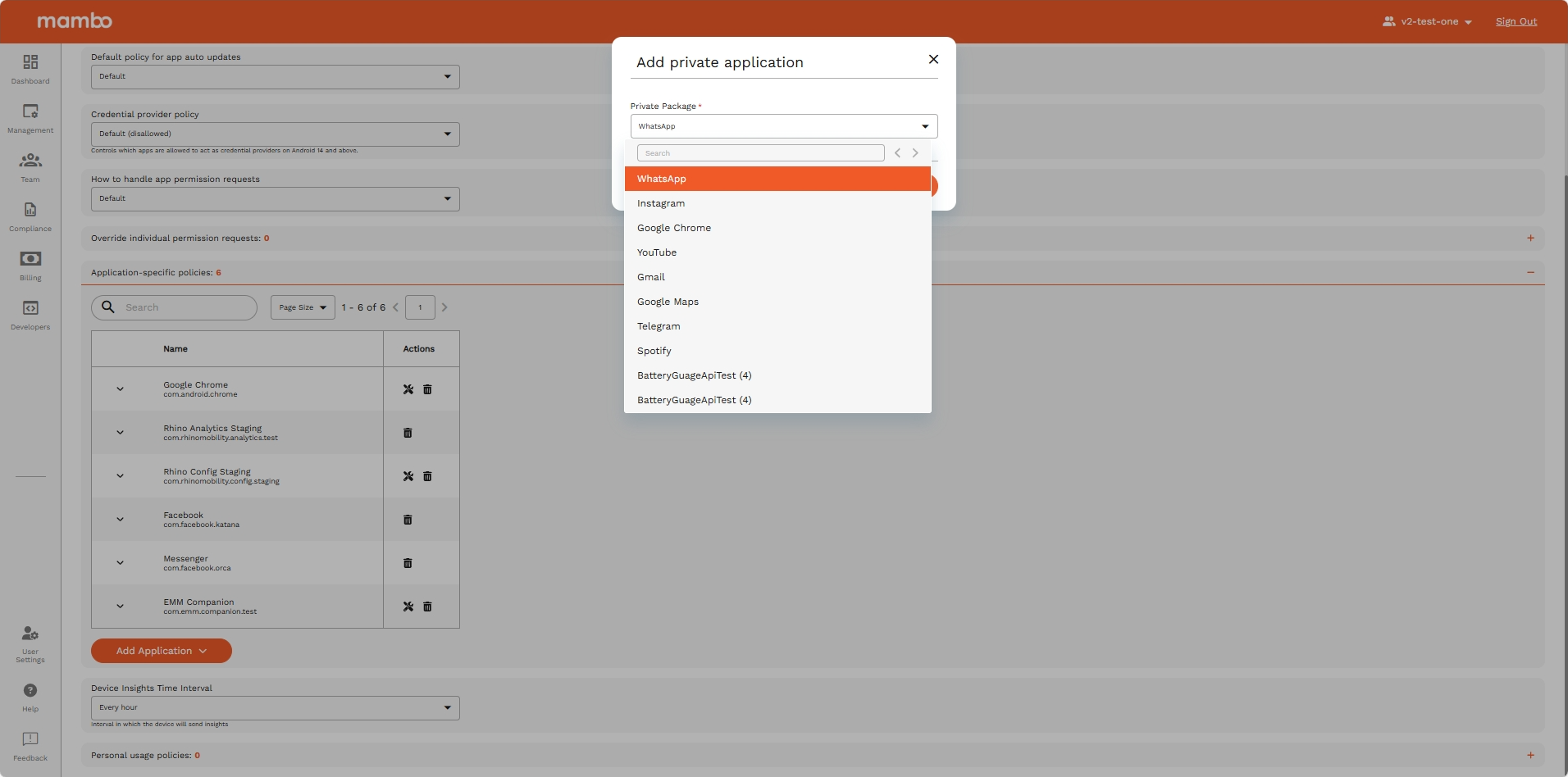
- Click Add Application and select Private Packages from the dropdown.
- In the dialog, search for and select the desired app from the list of available private apps.
- Save the changes to apply the configuration.
Note: Only apps which are fully processed appear in the selection list. Apps already assigned to the policy are excluded.
Key Features
- Searchable Dropdown – Quickly find the right app by name or package name.
- Filtered List – Only valid, unassigned apps are shown to prevent duplicates.
Summary
The Private Packages option in the Policy Applications section bridges the repository with policy management, enabling precise assignment of in-house APKs to device policies.