View All Private Apps
The Private Apps Repository listing page provides an overview of all APK files uploaded by the team.
Accessing Private Apps Repository
- Navigate to Management > Private Apps Repository.
- The list displays all uploaded apps including:
- Name (with status indicator)
- Package Name
- Version Name
- Version Code
- Size
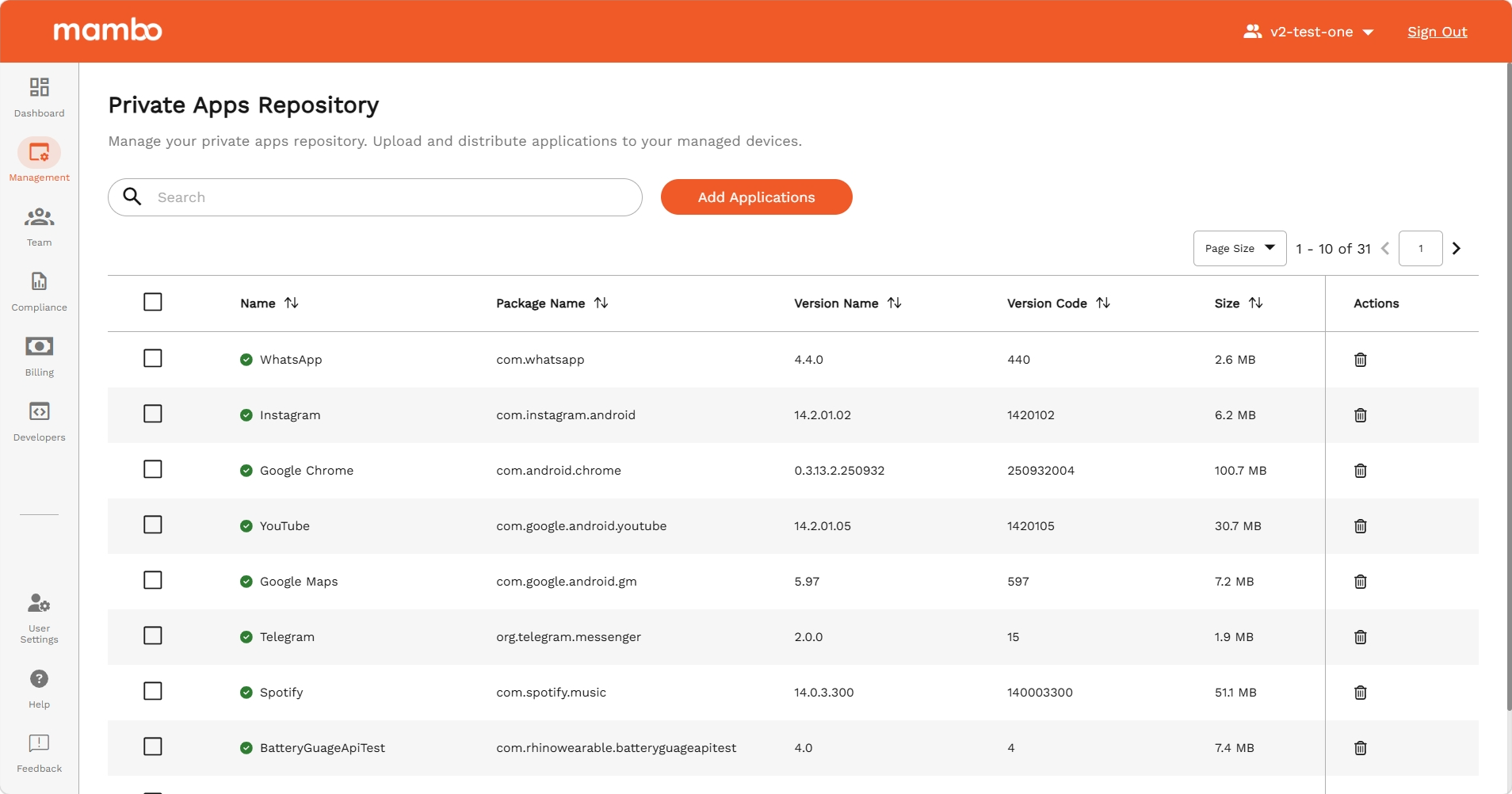
Available Actions
- Add More Apps – Navigate to the upload page to add new APKs.
- Delete – Remove an app from the repository, available per row or via bulk selection.
- Search & Sort – Locate specific apps or sort by column.
App Status Indicators
Each app in the list has a processing status:
| Status | Meaning |
|---|---|
UPLOAD_URL_GENERATED | Upload URL created, awaiting file transfer |
UPLOADED | File received, processing pending |
REQUIRED_DATA_GENERATING | Extracting package metadata |
REQUIRED_DATA_GENERATED | Ready — app is available for policy assignment |
REQUIRED_DATA_GENERATED_FAILED | Metadata extraction failed |
UPLOAD_FAILED | File upload did not complete successfully |
Key Features
- Centralized View – All private apps in one place.
- Status Visibility – Quickly see which apps are ready for use.
Summary
The Private Apps Repository listing page is the central hub for managing uploaded APK files — view processing status, search, and perform actions from a single interface.