Add Private Apps
The Add Private Apps feature allows administrators to upload APK files to the team's private app repository, making them available for assignment to policies.
Steps to Add Private Apps
- Navigate to Management > Private Apps Repository.
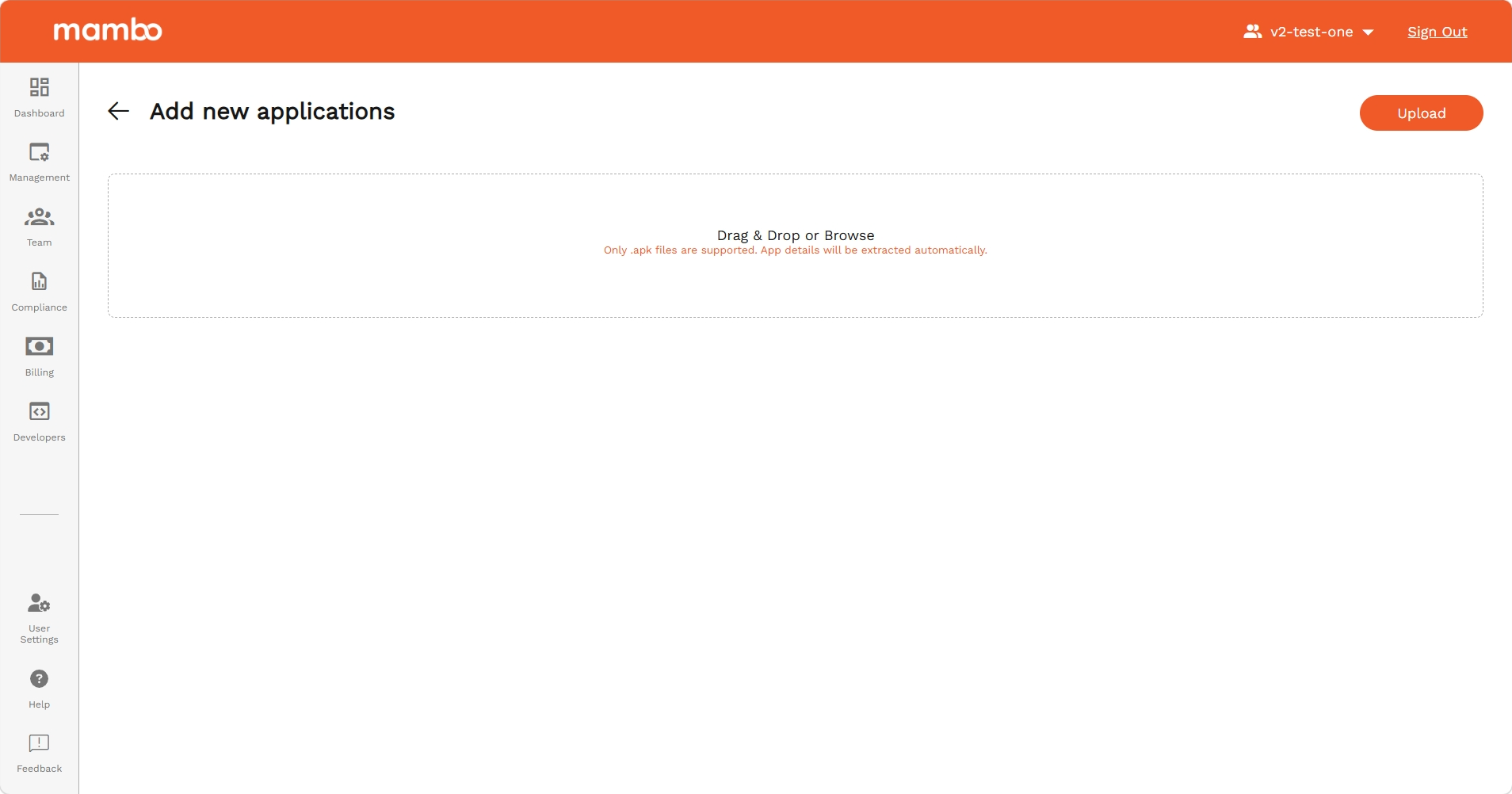
- Click the Add More Apps button at the top of the page.
- On the upload page, select one or more
.apkfiles using the file picker. - Click Start uploading selected files to begin the upload.
- Each file is uploaded directly and the progress is tracked per file.
- Once all uploads complete, the apps appear in the repository list page.
Note: Up to 10 files can be uploaded simultaneously. Browser navigation is blocked while uploads are in progress to prevent interruption.
Key Features
- Multi-file upload – Upload multiple APK files in a single session.
- Progress tracking – Per-file upload progress is shown in real time.
- Cancel support – Individual in-progress uploads can be cancelled anytime.
Summary
The Add Private Apps page provides a dedicated upload flow for adding APK files to the repository, with multi-file support and live progress feedback.