View All Groups
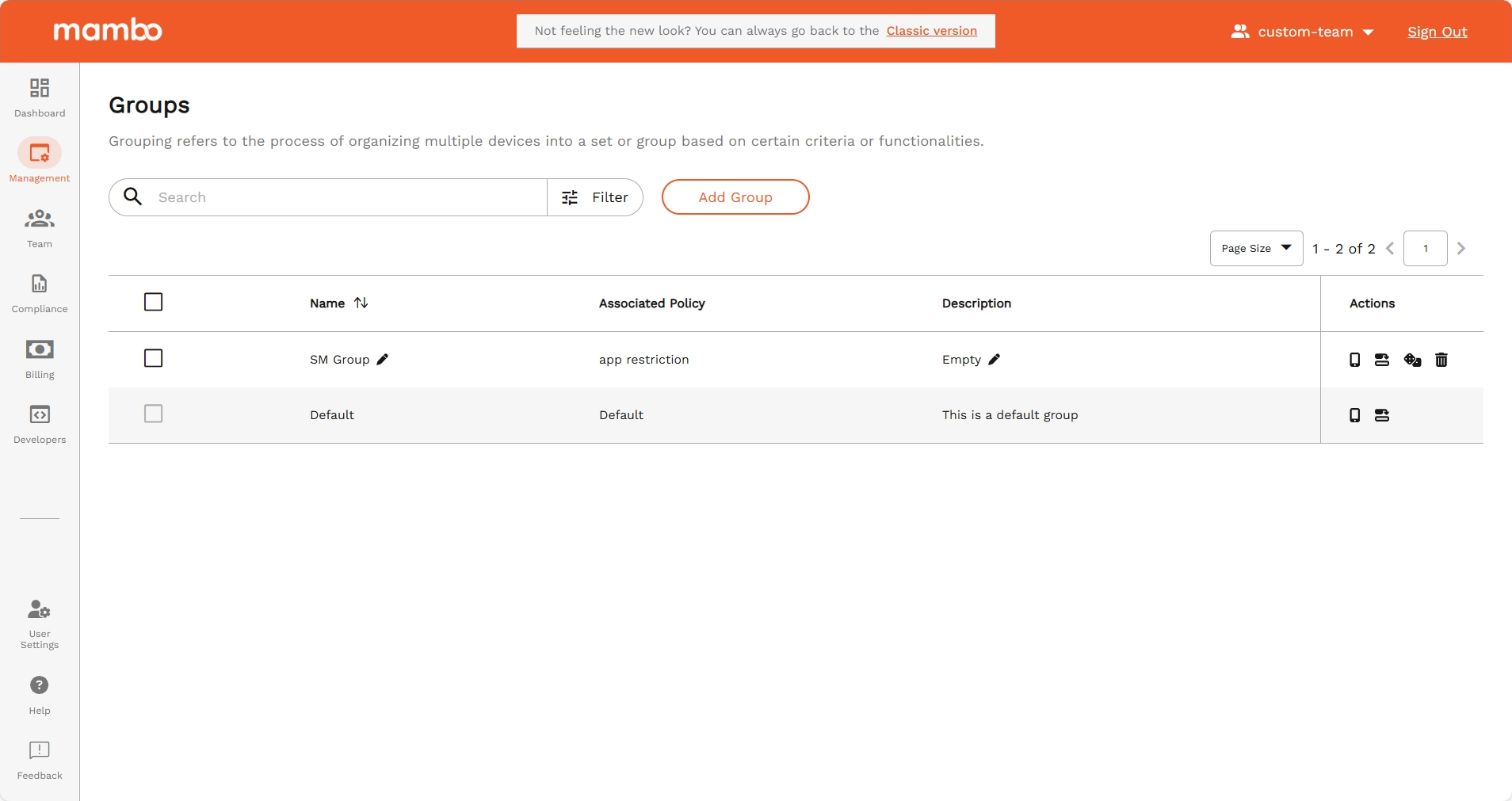
The Groups List page provides a list of existing groups with key details and management options.
Accessing Groups List
- Navigate to Management > Groups.
- The list displays all available groups including:
- Name
- Associated Policy
- Description
Available Actions
- Search – Quickly locate specific groups.
- Sort – Arrange groups by name or policy for easier navigation.
- Actions Menu – Perform actions such as Change Policy, Enforce Policy, or Delete Group directly from the list.
Key Features
- Centralized View – All groups in one place.
- Quick Search – Find groups without scrolling.
- Actionable List – Direct access to management actions.
Summary
The All Groups page acts as the control center for managing groups, allowing you to search, sort, and take actions from a single interface.